During my co-op at Interaptix, I designed a cross-platform system. This case study focuses on the work I completed for the desktop platform.
Due to the social distancing rules put into place during the pandemic, remote field workers were reporting more challenges than ever when conducting inspections and audits. The AptixAR product aimed at supporting companies in carrying out inspections through the use of AR and remote inspection tools. AptixAR had two components: an iOS app for the on-site worker to provide image captures and scans of the environment and a web portal for remote experts to conduct inspections using provided materials.
When I joined the team, AptixAR had the foundational structure of a working cross-platform system. However, there was a clear need for a cohesive design system and a refined user experience. The online portal provided only the basic functionality of an inspection platform, with minimal attention given to user experience. Similarly, the iOS app had essential controls, but could use a more well-thought-out user flow.
With no prior UX involvement in the system, my role was pivotal in establishing the foundation for user research and experience design, ensuring AptixAR could deliver a seamless and intuitive experience across platforms.
The primary users are engineers, field workers, and maintenance workers accustomed to long-established technical systems. Designing for this demographic required a clear understanding of their skill levels and workflows. Two distinct roles emerged as key players in the inspection process:
.png)
Target User 1 – The Field Worker: On-site personnel responsible for capturing and scanning the site environment using an iPad.
.png)
Target User 2 – The Remote Expert: Off-site professionals who provide assistance and conduct inspections from their desktop computers.
To ensure the design met user needs, the inspection process was thoroughly analyzed. The system leverages AR technology to enhance collaboration:
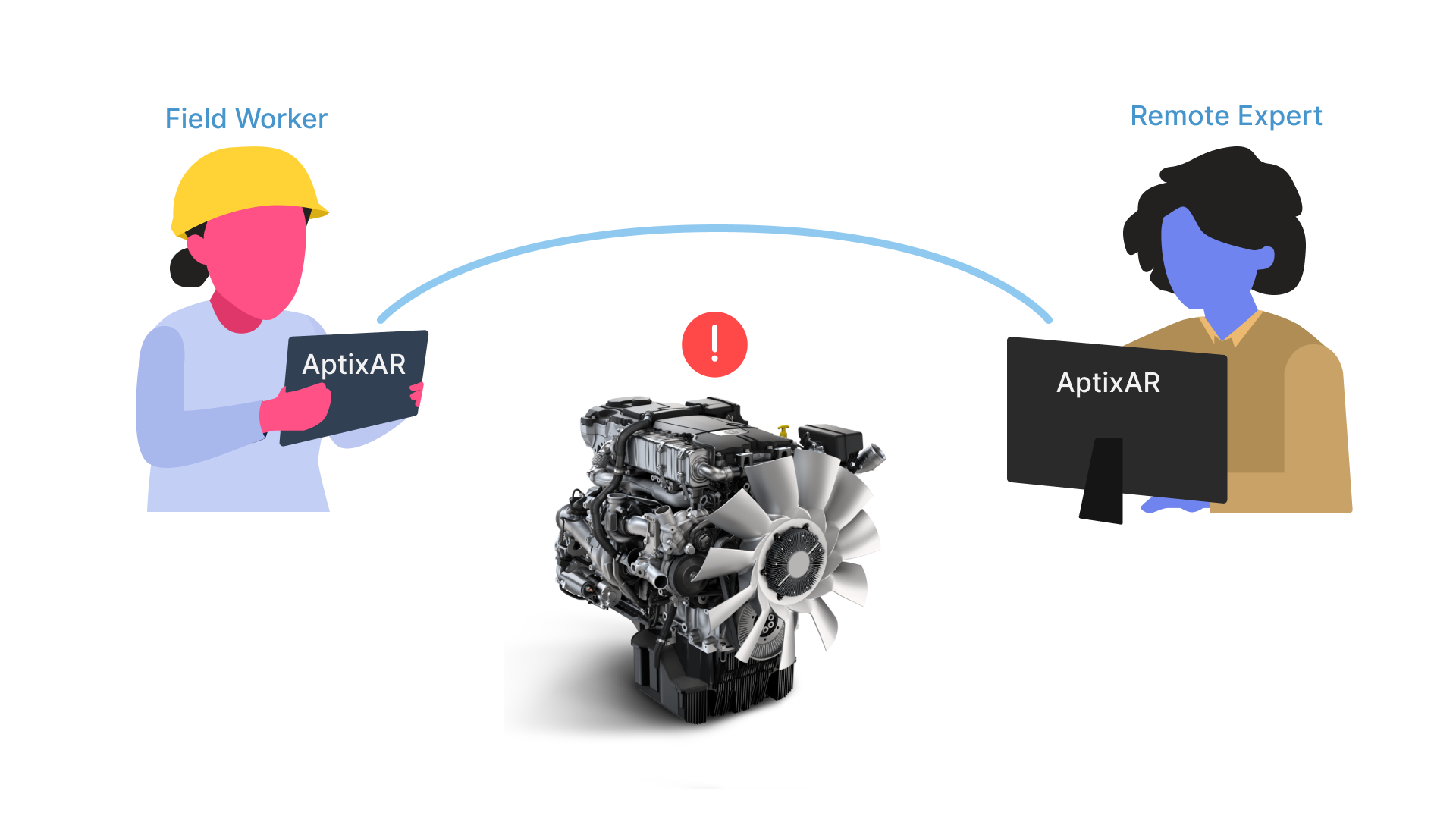
Key Touchpoints Identified:
Using Norman Nielsen's Heuristics for Usability, I conducted a heuristic evaluation of the existing portal, highlighting areas needing improvement and proposing actionable solutions.
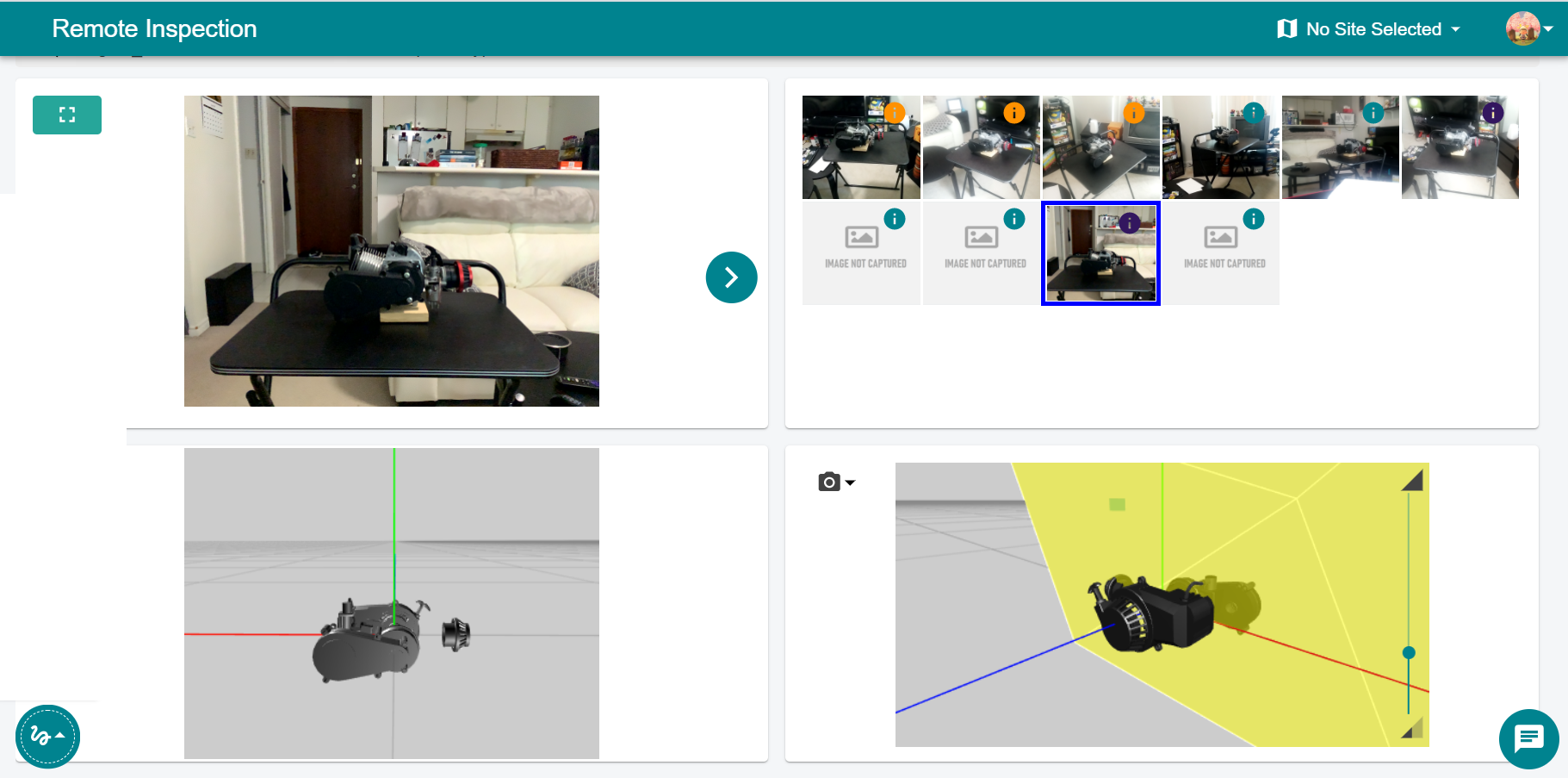
Key Issues Identified in the Evaluation:
The existing portal lacked sufficient context, making it intimidating and challenging for new users to navigate and utilize effectively. These findings shaped the foundation for the redesign, focusing on improving usability and accessibility across all critical areas.
Inspection Layout Design
For the remote expert to conduct an inspection effectively, adjacent views of the image capture and 2D model are provided for comparing the placement and positioning of asset components. A 3D model view allows the expert to pan and orbit around the asset for a more comprehensive perspective.
Given the limited screen space, I explored various layout options, evaluating their respective pros and cons. Labels were introduced to help new users quickly locate and understand functionalities.
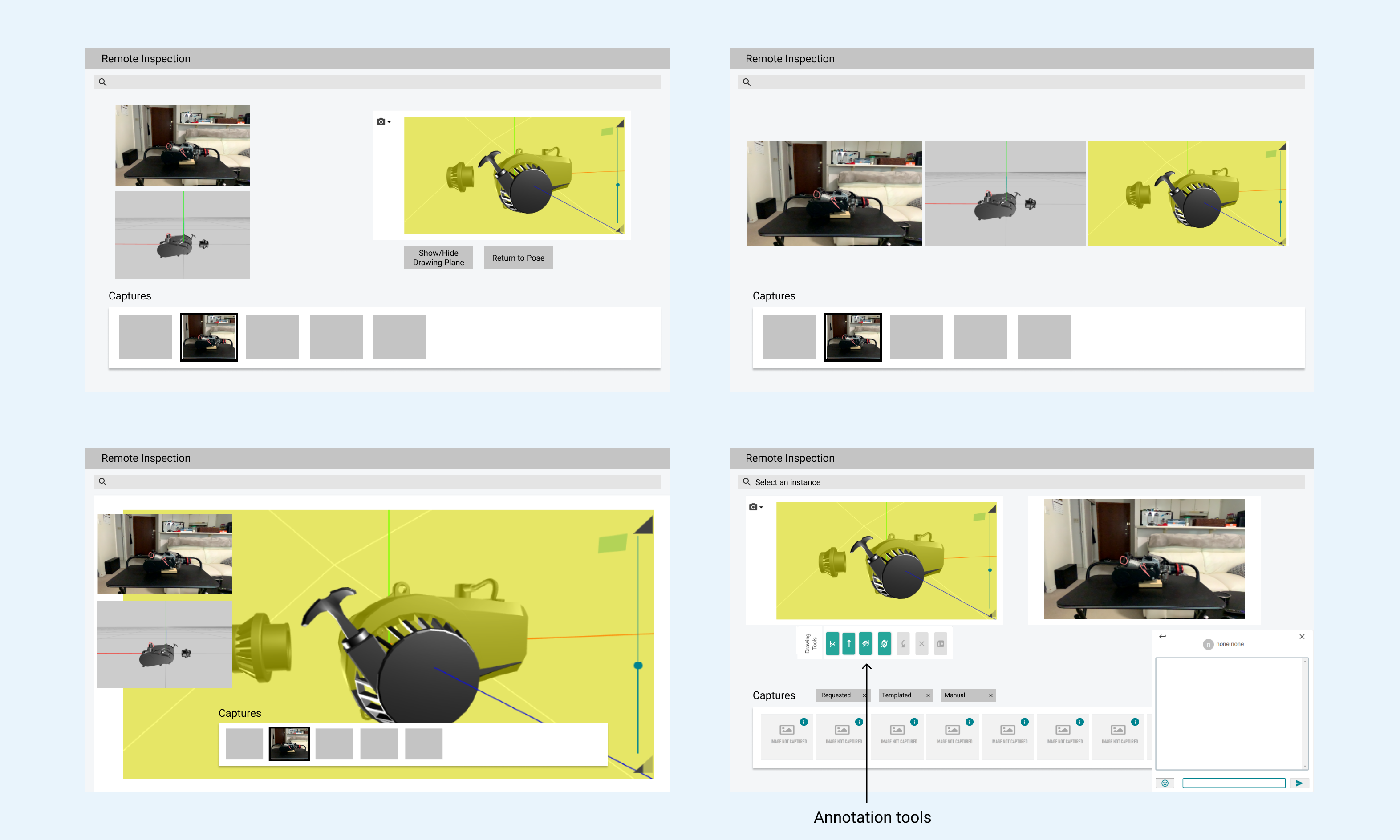
Final Layout Decision
Recognizing the overlap in information between the 3D model and the 2D image of the model, I placed the image capture and 3D model view side by side. A button was added to align the 3D model view with the image capture, enabling seamless transitions between perspectives.

Enhanced User Interaction:
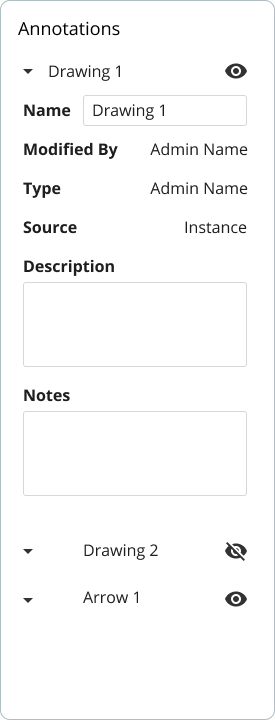
Annotations play a critical role in highlighting areas of interest. The remote expert can draw or add arrows directly within the 3D space, enabling the field worker to load the AR app and visualize the annotations in context.
Key Annotation Features:
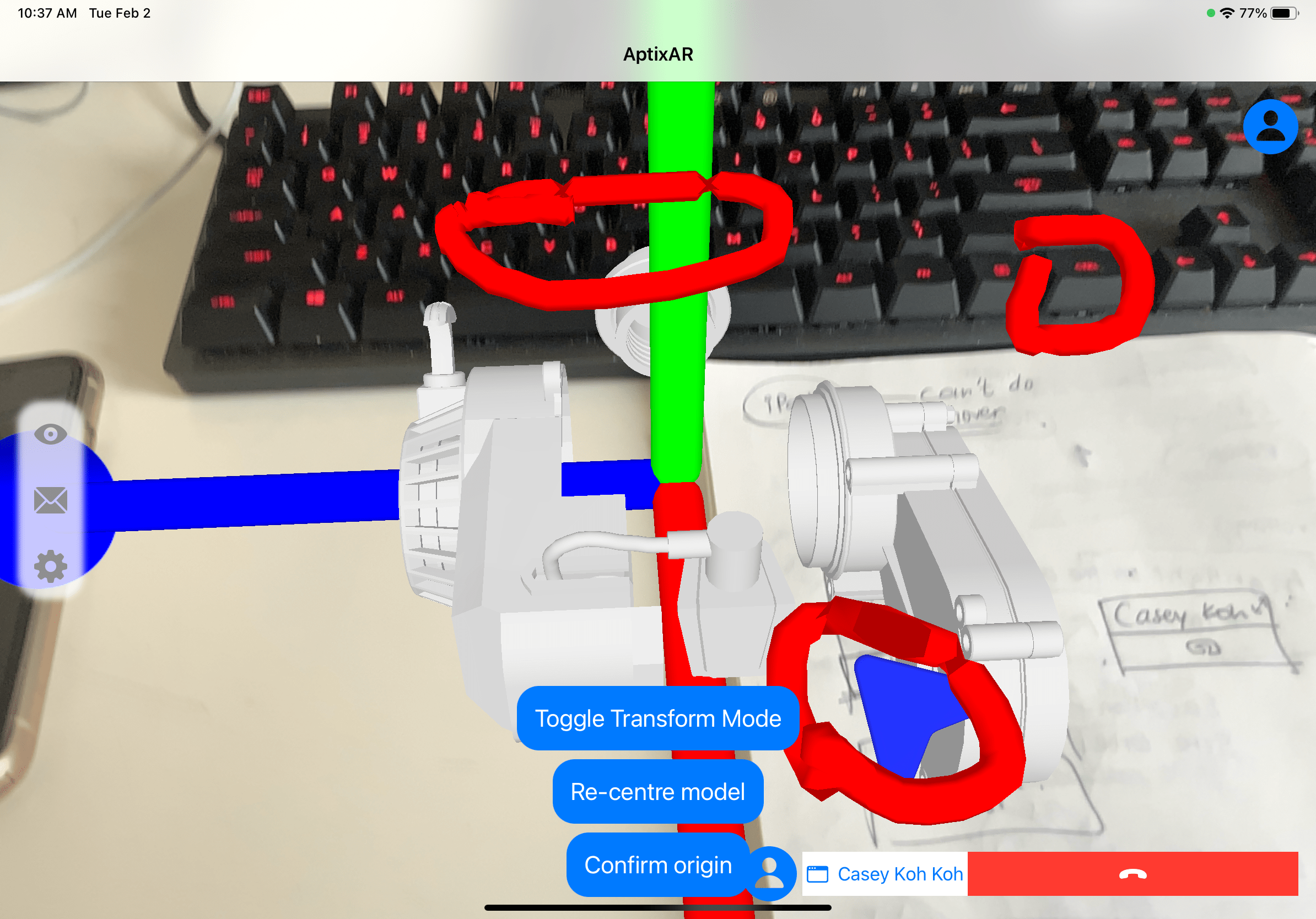
Design Placement:
These enhancements ensure that both field workers and remote experts can collaborate effectively, with streamlined workflows and improved usability across the system.



It was proven invaluable to establish a simple design system from the outset, with a focus on creating reusable elements. This ensured that future designs would align with the system, maintaining consistency with the brand's look and feel. Additionally, it streamlined the handoff to the development team, making the process more efficient and productive.

The main inspection page needed to accommodate an increasing number of functionalities, so I structured it into modular sections. These modules were designed to be dynamic, allowing for changes in size and position. This level of workspace customization enhances the user's sense of agency and control over the platform.

With the redesigned platform, the team conducted a field test at a real wastewater management site with a participating client. The remote expert successfully carried out a scenario based on the user journeys outlined earlier. All the necessary tools for the inspection were easily accessible in the web portal and proved highly effective for the task. Valuable feedback was provided by the client, which was discussed and used to identify areas for further improvement in the system.
For future steps, the system would benefit from responsive design: accounting for specific ratios required for capturing models and images. As the internship progressed, I actively adjusted the designs for different ratios.
Overall, I learned the value of testing ideas early and frequently, which brought clear benefits in the fast-paced environment. I also refined my design process by clearly defining requirements from the start, conducting brainstorming and ideation sessions, and presenting ideas early to support the iterative improvement of designs.
